
See what customers ask and whether they left happy
Quick answer
Chat Analysis lists your recent WhatsApp conversations with a one-line summary, the type of enquiry, whether it was resolved, and a satisfaction score out of 5. Use the filters to find unresolved or unhappy chats, then open the chat to see what happened.
Your team says customers keep asking about delivery to Shah Alam, but nobody can say how often. You would rather know than guess before you decide whether to add a delivery zone.
Chat Analysis reads each finished conversation for you and writes down what it was about. Every chat gets a short summary, an enquiry type, a resolution result and a satisfaction score, so you can see a week of conversations without opening each one.
With it you can:
- See at a glance what customers asked and whether they got an answer.
- Find the chats that ended with an unhappy customer.
- Check which chats your AI assistant handled alone and which involved your team.
- Open any conversation to read exactly what was said.
Before you start
- Your WhatsApp Business account is connected. Until it is, the page shows sample conversations.
- A conversation appears here after it has gone quiet for a while and HeyBirdy has analysed it. Today's busiest chats may not be listed until later.
Read the list
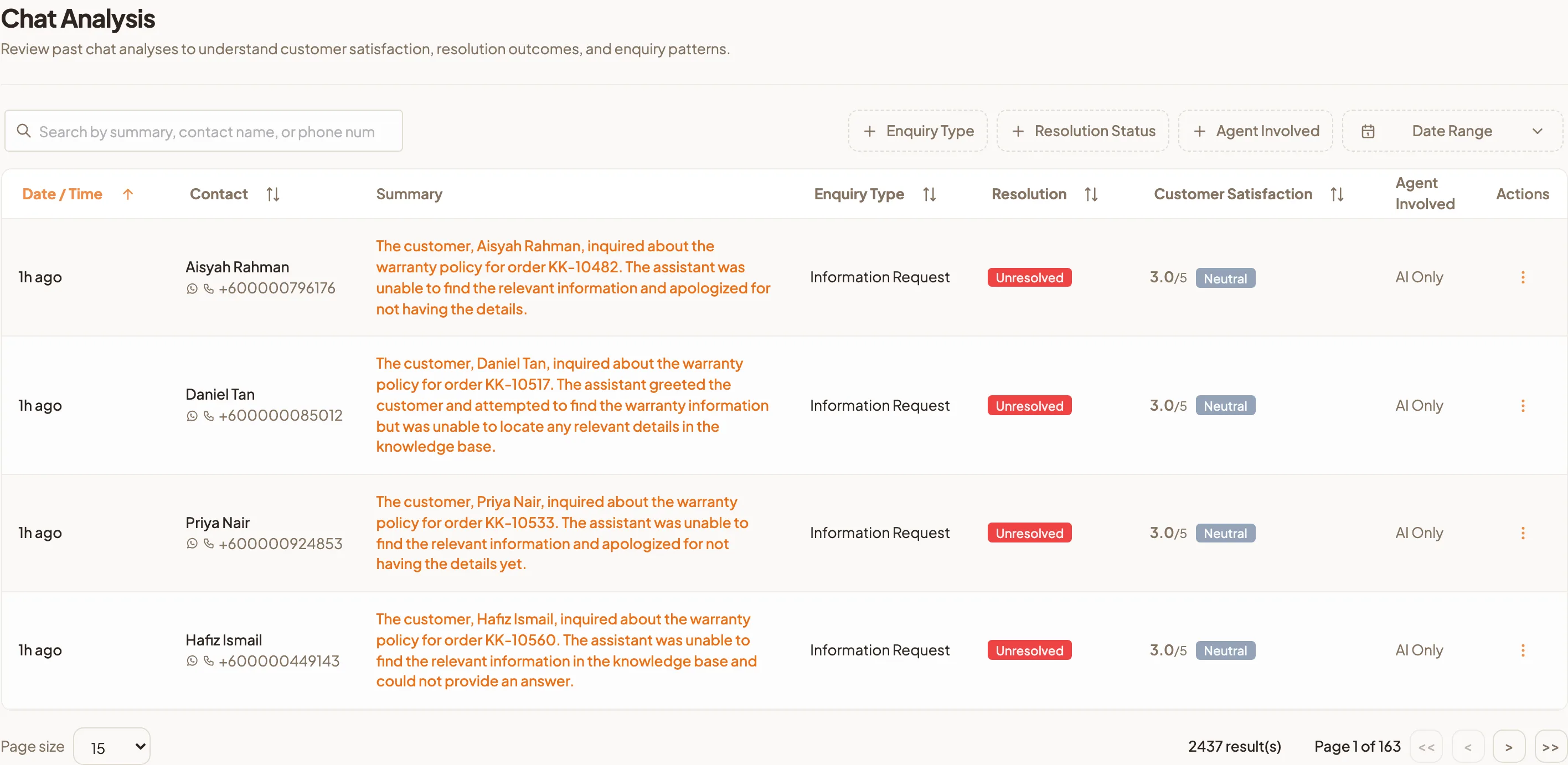
Go to Chat Analysis in the sidebar. Each row is one conversation, newest first.
| Column | What it tells you |
|---|---|
| Date / Time | When the conversation started. |
| Contact | Who the customer is. |
| Summary | A one-line description of the conversation. |
| Enquiry Type | The kind of question it was, as worked out by HeyBirdy from the conversation. |
| Resolution | Resolved, Unresolved or Inconclusive. |
| Customer Satisfaction | A score out of 5 with a label: Happy, Neutral or Unhappy. |
| Agent Involved | The team members who took part, or AI Only if your AI assistant handled it alone. |
What the satisfaction score means
HeyBirdy scores each conversation from 1, very unhappy, to 5, very happy, based on how the customer came across.
- Happy: a score of 3.6 or higher.
- Neutral: above 2.4 and below 3.6.
- Unhappy: a score of 2.4 or lower.
Inconclusive under Resolution means the conversation did not show clearly whether the customer's need was met. Those are worth a quick read.
Find the conversations you care about
- Type in the search box to find a chat by summary, contact name or phone number.
- Narrow the list with the filters:
- Enquiry Type: one or more types of question.
- Resolution Status: Resolved, Unresolved or Inconclusive.
- Agent Involved: chats a particular team member took part in.
- Date Range: a preset or your own start and end dates.
- Select a column heading such as Customer Satisfaction to sort by it.
- Select Reset to clear the filters.
Open a conversation
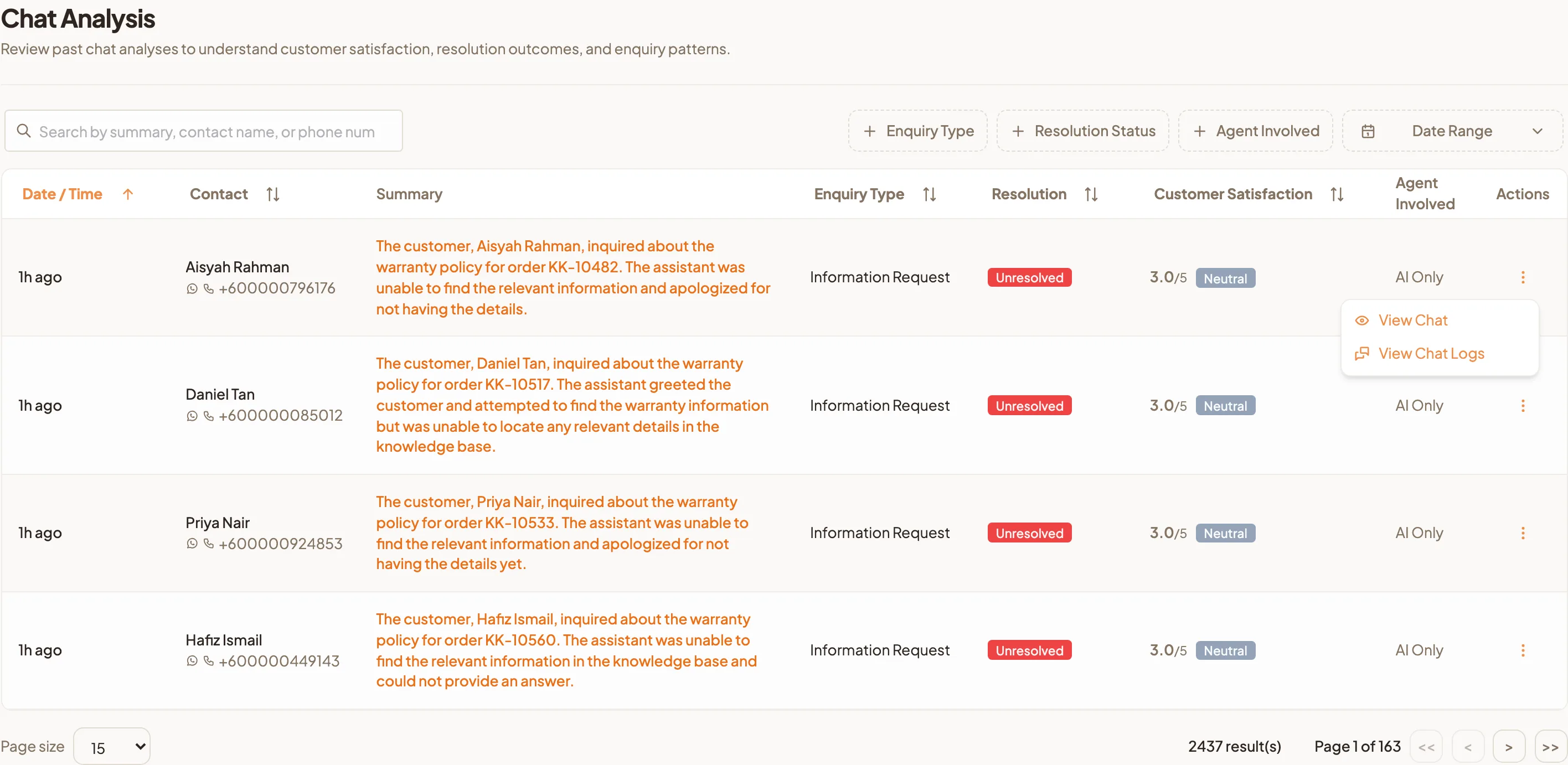
Open the menu at the end of the row. You have two options:
- View Chat opens the customer's chat in a new tab, at the message the summary refers to. Use it when you want to follow up with the customer.
- View Chat Logs shows the full conversation in a window on this page, so you can read it without leaving the list.
Selecting the text in the Summary column also opens the chat.
Use it weekly to learn what customers ask
Ten minutes on a Monday is enough.
- Set Date Range to the last 7 days.
- Sort by Enquiry Type and scan the summaries. The types that fill the most rows are the questions your business gets most.
- Filter Resolution Status to Unresolved. For each one, ask whether a written answer would have solved it. If so, add it to Instant Answers.
- Sort by Customer Satisfaction so the lowest scores come first. Read two or three with View Chat Logs and note what went wrong.
- Check the Agent Involved column for rows marked AI Only that ended Unhappy. Those are the conversations where your assistant needs a better answer, a clearer tone in AI Assistant Settings, or a quicker handover to your team.
Do this for a month and you will know, with numbers, whether the Shah Alam delivery question is five chats a week or fifty.