
Check your HeyBirdy plan, billing date and payment history
Quick answer
Go to Settings, then Billing, to see your plan, subscription status, next billing date and past payments. Select Manage Subscription to open the billing portal in a new tab, where you manage your subscription.
Your accountant is closing the quarter and asks two things: what you paid for HeyBirdy since July, and when the next charge goes out. Both answers are on one page.
Billing shows where your HeyBirdy subscription stands and what you have paid so far, and it is the way into the billing portal where you manage the subscription itself.
On this page you can:
- See your current plan, subscription status and next billing date.
- Open the billing portal to manage your subscription.
- Look back through your successful payments.
Before you start
- You are signed in as an Admin.
Check your plan and next billing date
Go to Settings, then Billing. The Current Plan card shows:
- Plan, the HeyBirdy plan you are on.
- Status, where your subscription stands.
- Next Billing Date, when the next payment is due.
| Status | What it means |
|---|---|
| ACTIVE | Your subscription is running normally. |
| TRIALING | You are on a trial. |
| PAST_DUE | A payment is overdue. |
| CANCELED | Your subscription has ended. |
Manage your subscription
- On the Current Plan card, select Manage Subscription.
- Your billing portal opens in a new tab. HeyBirdy uses Stripe to handle subscription payments, so the portal is a Stripe page.
- Make your changes there.
If the portal does not open, HeyBirdy tells you so. Wait a moment and select Manage Subscription again.
Review your past payments
Billing History lists your successful payments, newest first, with the Date, Description and Amount of each. It shows 10 payments per page. Use the page controls under the list to go further back.
That is your accountant's answer, in one list.
If your billing is managed offline
Some workspaces are billed directly rather than through the billing portal. In that case the page shows an Offline Billing card instead of your plan and payment history:
"Your billing is managed offline. Contact your account manager for billing inquiries."
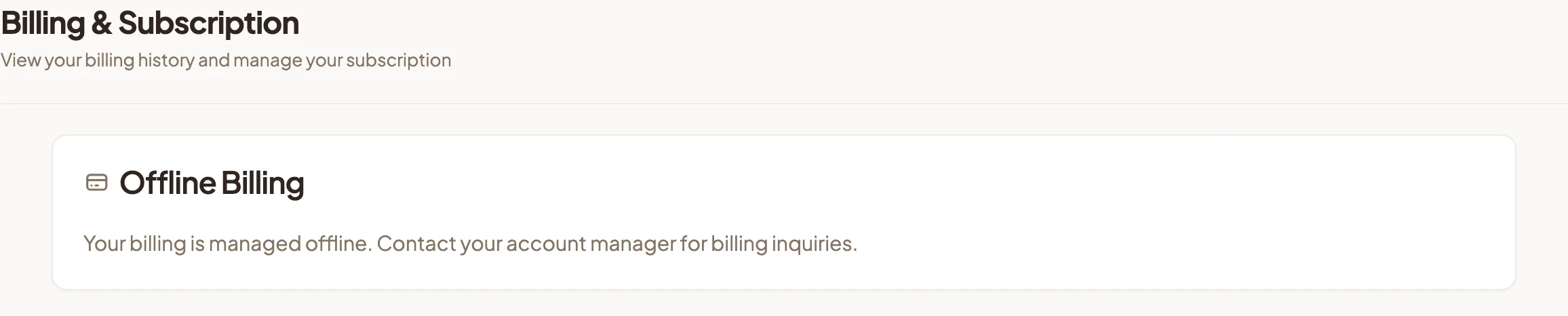
For anything about your plan or payments, your account manager is the person to ask.
Your HeyBirdy subscription and WhatsApp charges
This page covers your HeyBirdy subscription only. Meta charges for WhatsApp messages separately, through the payment method on your WhatsApp Business account. You manage that under Settings, WhatsApp Business, Account Settings, Manage Payment Methods, which opens Meta's billing page.
See pricing and charges for how Meta charges for WhatsApp, and WhatsApp Business for the account settings.